-1.png?width=500&height=125&name=PathSpot-Logo-RGB-Horizontal-1.0.0-1-e1600793653493%20(1)-1.png)
If you sign off on a form and later need to make an adjustment due to an unexpected equipment issue, you can still properly document the occurrence.
Example:
You sign off on your equipment for the night at 8:00 PM.
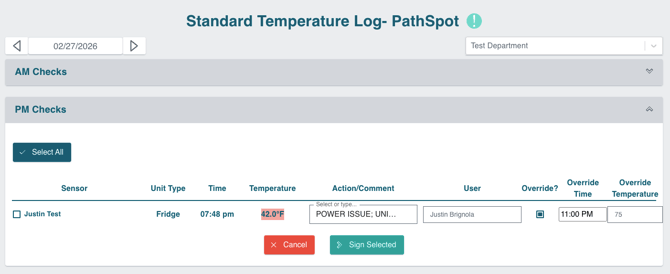
At 11:00 PM, you receive an alert that the refrigerator temperature has reached 75°F. Thankfully, the team is notified in time to move the product before any loss occurs. However, you still need to properly document the incident.
This is where the Override Temperature feature becomes useful.
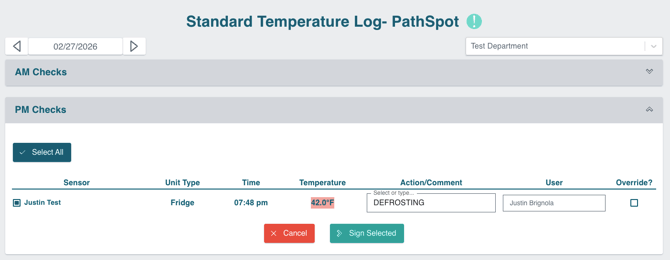
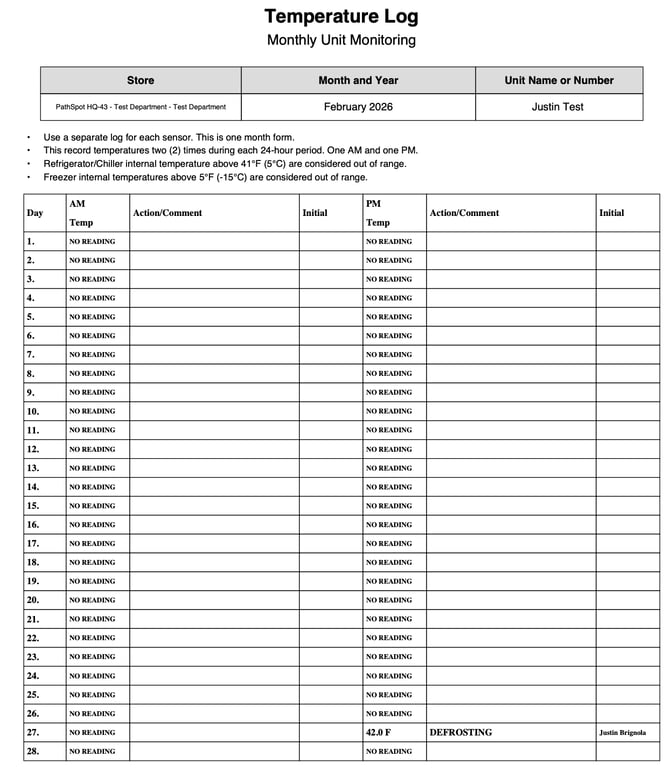
Originally, the equipment was slightly above the expected range and was signed off at 42°F with the corrective action noted as “Defrosting,” as shown in the first download of the report.
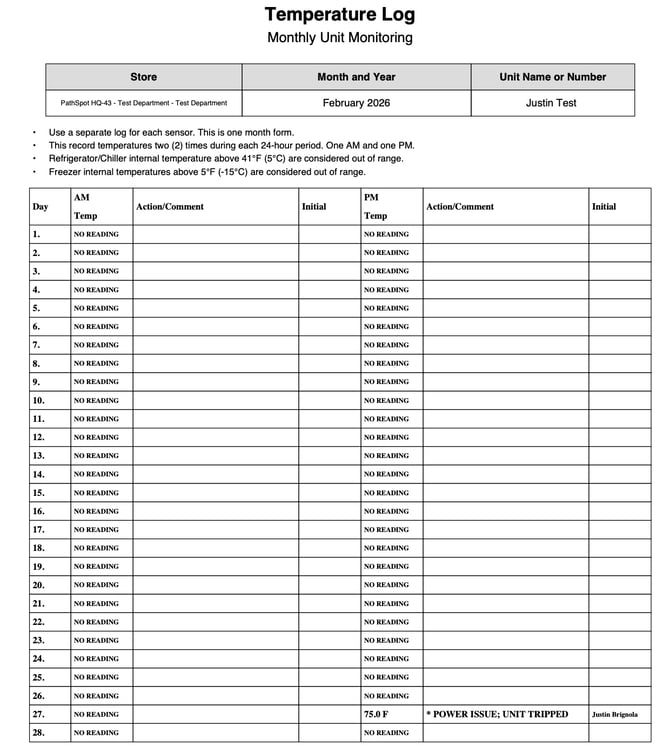
After the incident, you can go back the following day to properly document what occurred. You would update the recorded temperature to 75°F and note that there was an equipment issue.
If you download the report again after making this update, the report will reflect the change (see the second report example. You can easily identify an adjusted corrective action by the asterisks.
Our reports always display the most recent entry. However, all previous versions and updates are securely stored and can be accessed and shared upon request if needed.
Lastly, if you are not already enrolled, we offer automated monthly reports. This allows you to make the necessary changes, sign off again, and simply wait until the first of the month to receive the updated report automatically.
If you’re unsure whether you're enrolled in automated reports or if the sign-off feature is not enabled for your account, please have your manager contact support@pathspottech.com or reach out to your dedicated Customer Success Manager for assistance.
> Learn more about signing off on equipment here.
First Download (6PM)
Second Download (Updated 11pm)