-1.png?width=500&height=125&name=PathSpot-Logo-RGB-Horizontal-1.0.0-1-e1600793653493%20(1)-1.png)
➡️ Click Path: Task Management > View Task Lists > Vertical Ellipsis (Right-Hand Side) > View/Edit
Alert Cadences:
- Daily List Cadence: The reminder time is set in the Reminder field, which can be configured to 15 minutes, 30 minutes, 1 hour, or 2 hours.
- Weekly List Cadence: The reminder time is set in the Reminder field, which can be configured to Day of, 1 day before, or 2 days before.
- Monthly List Cadence: The reminder time is set in the Reminder field, which can be configured to Day of, 1 day before, 2 days before, 1 week before, or 2 weeks before.
🚨All alerts are based on the end time, not the locked time.
Option 1: Setting Up Reminders By Location / Department Based Assignments
This option applies to both the Location and Department fields. Once a location or department is selected, along with the requested time threshold to remind users when a checklist is not complete, an additional configuration step is required to finalize the alert with the PathSpot team.
Please provide the list of requested recipient emails (and or phone numbers) to support@pathspottech.com.
- 📍Lists can be assigned to either a Location or a Department, but not both. These are mutually exclusive categories. As shown in the video below, both fields were initially filled in; however, once the list was saved under a location, the department field was automatically cleared.
- 🎯 If you would like greater precision in list assignment and completion, first assign the list to a location or department, then create specific roles and add them to the list. This ensures that only users assigned to those roles can see and complete the list (learn more here).
- 🚨Please note that this applies to list visibility and completion only. For alerts, any user added to the location in question will receive all alerts for all task lists at that location, regardless of role or department.
🎥 Video Guidance
Option 2: Setting Up Reminders By User Based Assignments
This option applies only to the User field in the default schedule of the selected checklist. Once a user is selected in the User field, the final step is to choose the time threshold in the Reminders drop-down menu that will notify the user(s) X minutes/hours/days before the end time that the task list is question incomplete. No additional configuration is required from the PathSpot support team.
🎥 Video Guidance
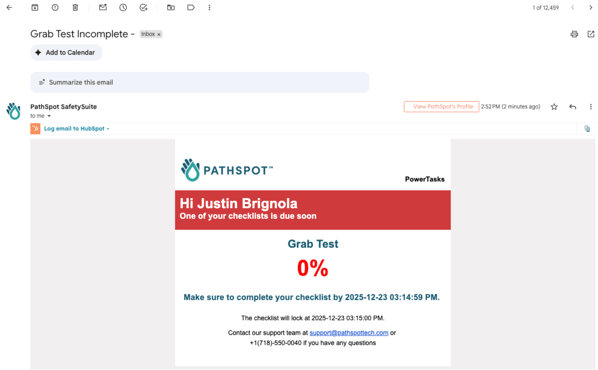
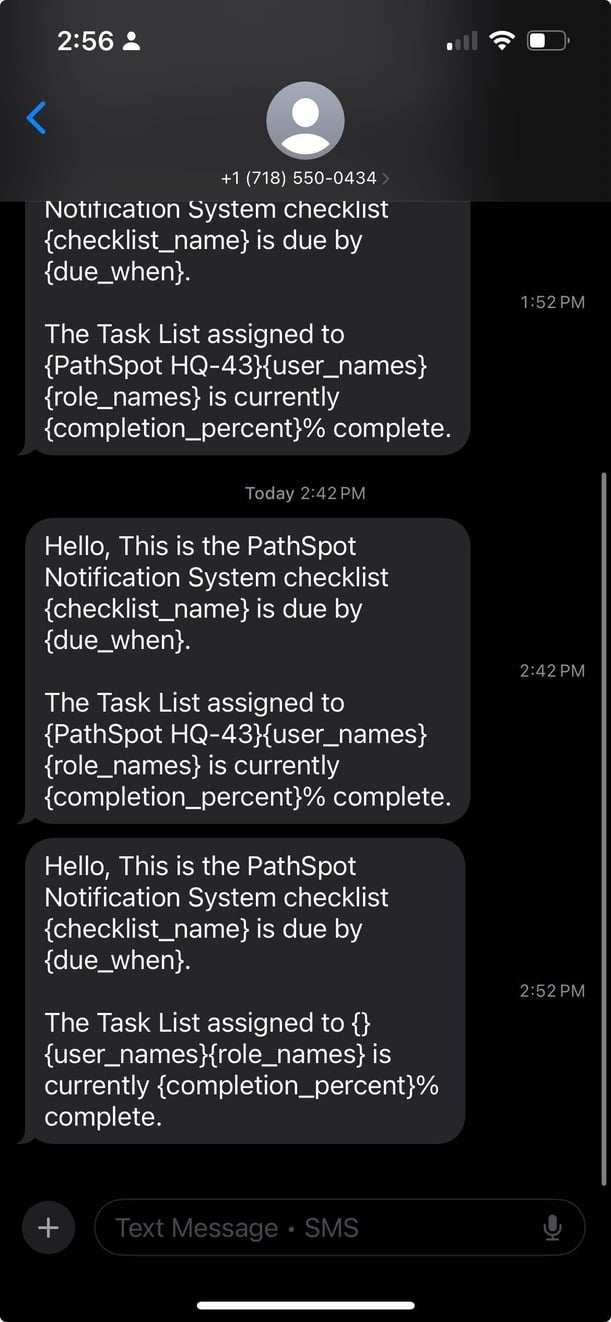
🔔 Text & Email Examples